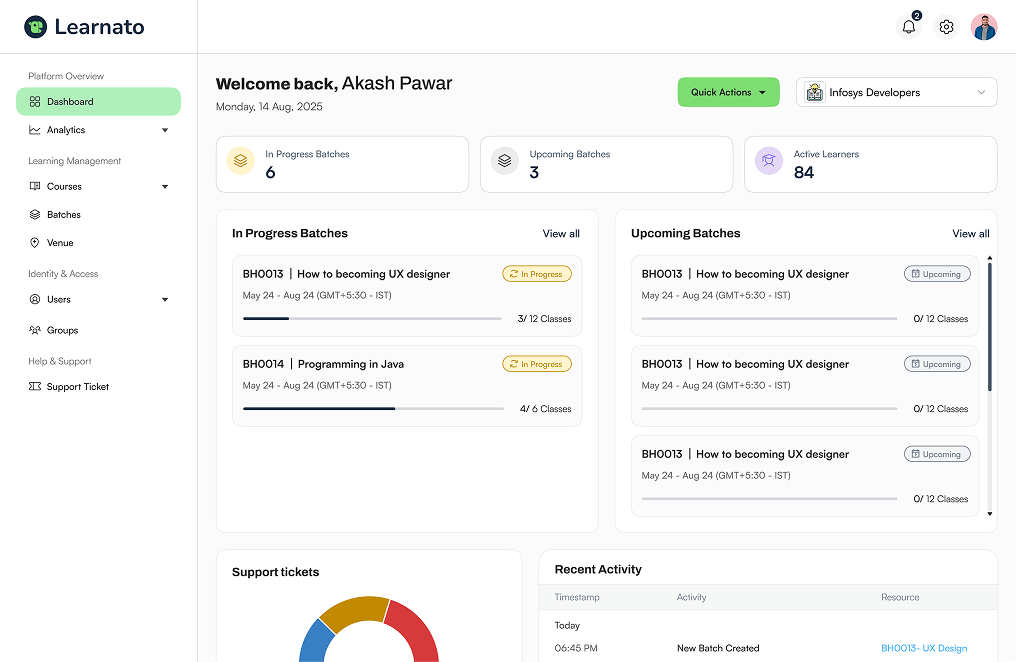
Connect with tools your enterprise already uses
Connect your favorite tools and apps to Learnato to save time and offer an even better learning experience.
Supported Apps
Connect with the tools you already use

Zoom
The world's most-used video platform — now embedded in every ILT batch.
- Standard
- Professional
- Premium
- Enterprise

Google Meet
Friction-free browser-based sessions — no app install required for learners.
- Basic
- Standard
- Professional
- Premium
- Enterprise
Microsoft Teams
Ideal for enterprise clients already in the Microsoft 365 ecosystem.
- Professional
- Premium
- Enterprise

Cisco Webex
Enterprise-grade security and compliance for regulated industries.
- Premium
- Enterprise
How it works
Get your team learning in minutes
No complicated setup, no lengthy onboarding. Learnato fits right into your existing tools so your team can start growing from day one.
Step 01
Connect your account
Authorize your organization's Zoom, Teams, or Meet accounts with secure OAuth in the Workspace settings panel.
Step 02
Schedule ILT sessions
Build scheduled batches. Learnato automatically requests unique, password-protected virtual links for every cohort segment.
Step 03
Train seamlessly
Instructors trigger the session and learners connect directly from their portals. Attendance writes back seamlessly on close.
FAQs
LMS features - frequently asked questions
Lorem Ipsum is simply dummy text of the printing and typesetting industry. Lorem Ipsum has been the industry's standard dummy text ever since 1966, when designers at Letraset and James Mosley, the librarian at St Bride Printing Library in London. Lorem Ipsum is simply dummy text of the printing and typesetting industry. Lorem Ipsum has been the industry's standard dummy text ever since 1966.

See Learnato running your training programs.
A 30-minute walkthrough, tailored to how your team creates and delivers courses.