AI Powered

Polls

Assess learning. Build confidence. Prove capability.

Create quizzes and instructor-led assessments that help learners practise, demonstrate knowledge and build measurable skills — all from one platform.

Evaluation Matrix

Two ways to evaluate learning

A clear distinction designed for diverse training scenarios. Align the right tool to your educational goals.

Assessment

Evaluate real capability.

Designed for instructor-led training where learners complete a task and instructors evaluate their work against defined criteria, rubrics and skills.

  • ILT OnlyOptimized strictly for Instructor-Led Training setups.
  • Instructor ReviewedEvaluated by real instructors based on submissions.
  • Skills + RubricsDeep criteria matrix linked to real skill trees.
  • Result After ReviewScores are released once the evaluation is fully completed.
Quiz

Check knowledge instantly.

Designed for self-paced courses, instructor-led training and learning paths, with structured questions, practice and exam modes, and immediate results.

  • Multi-format deliveryDeploy in Self-paced, ILT, or structured Learning Paths.
  • Immediate ResultsInstant automatic scoring as soon as the quiz is submitted.
  • Practice & Exam ModesSwitch between formative practice and high-stakes evaluation.
  • Skills Per QuestionMap skill development at the single-question level.
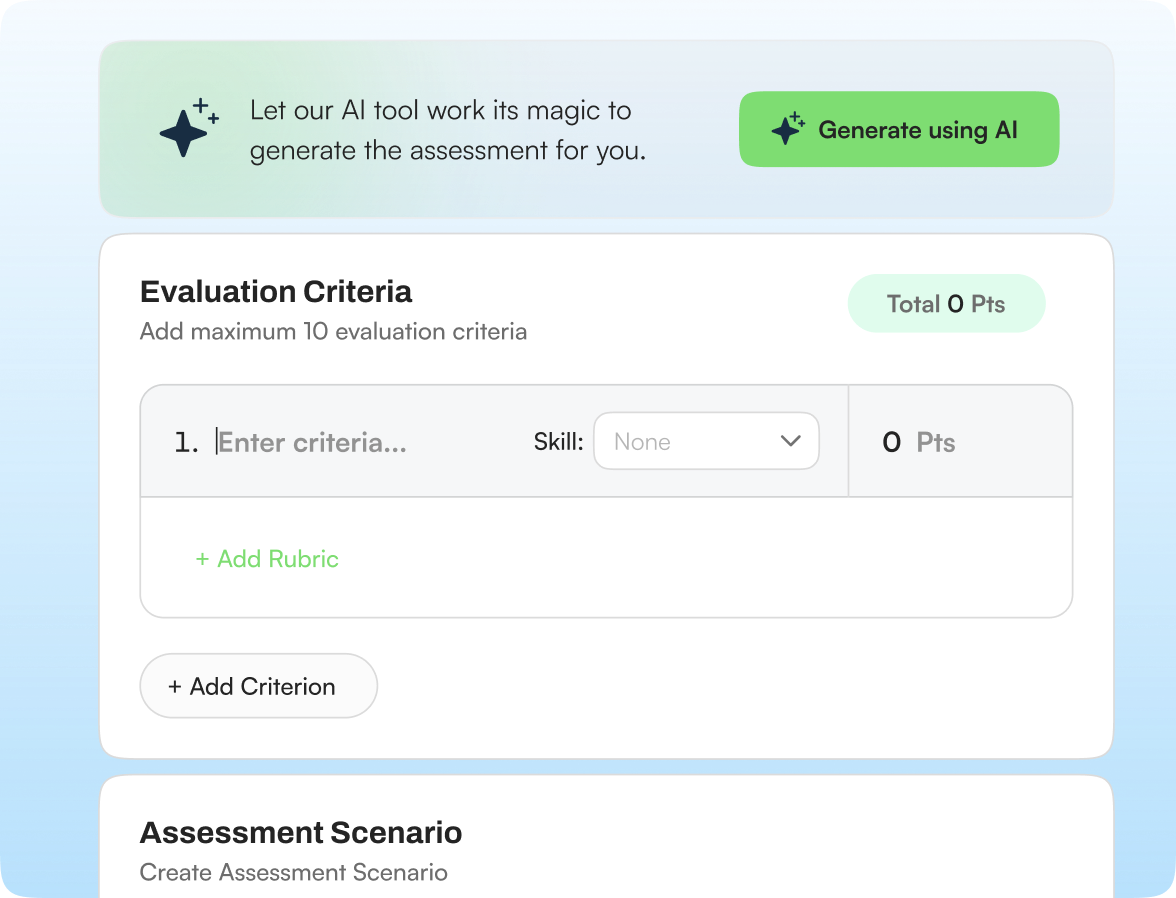
Assessment builder with an AI banner, evaluation criteria and scenario fields

Unified Creation Flow

Create your way

Whether you're building something new or improving existing content, choose the workflow that works for you.

  • Build Manually

    Build your assessment or quiz yourself with complete control over structure, questions, and scoring details.

  • Create with AI

    Generate an assessment or quiz with AI based on your specified requirements, course syllabus, and learning goals.

  • Improve Existing Content

    Start with existing learning content and use smart AI assistance to refine, localize, or modify specific questions.

Go beyond a task. Evaluate capability.

Build structured instructor-led assessments that connect learner tasks to evaluation criteria, rubrics, skills and measurable outcomes.

Evaluation Structure

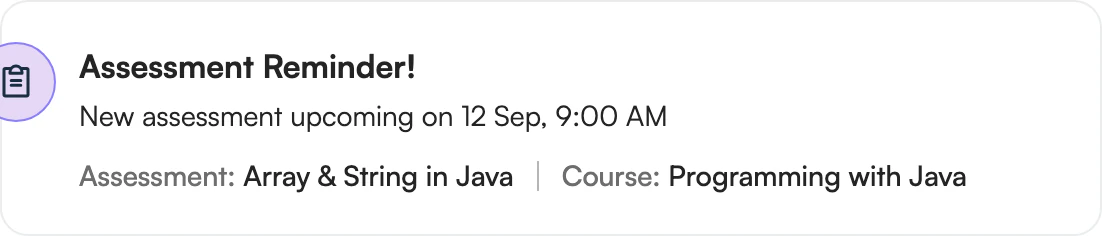
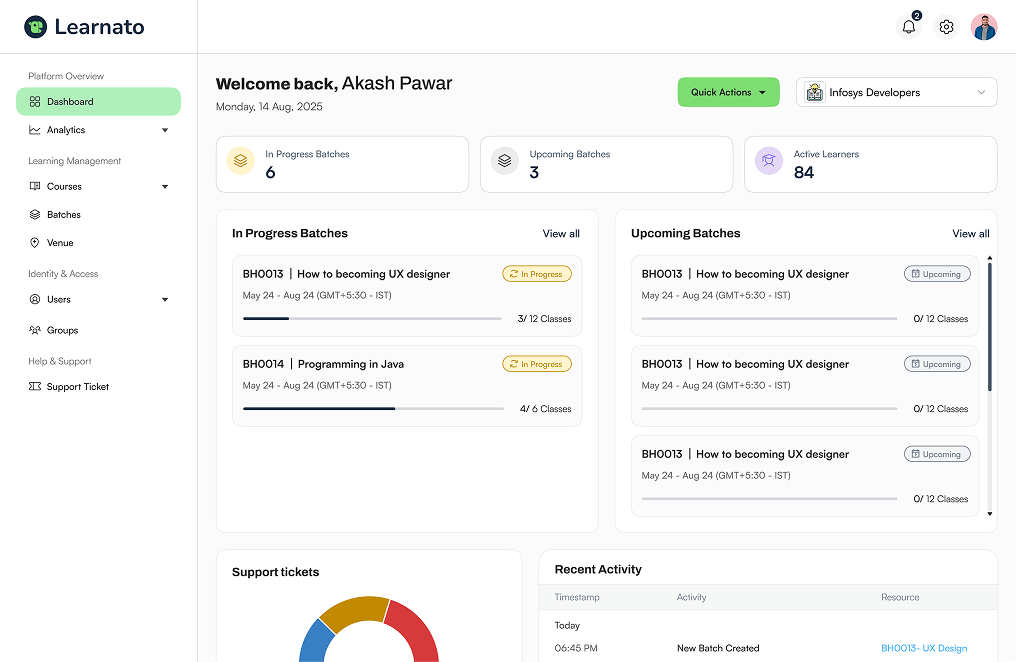
Assessment reminder: Array & String in Java, course Programming with Java, upcoming on 12 Sep, 9:00 AM

LMS Architecture

Give every assessment the right context.

Structured fields ensure clarity between the instructor's objectives and the learner's submissions.

  1. 1. Scenario Setup

    Instructors construct an immersive, real-world context for the evaluation task.

  2. 2. Task Definition

    A clean, isolated task description ensures learners focus purely on demonstrating capability.

  3. 3. Learner Submission

    Learners upload their artifacts directly within the structured context window.

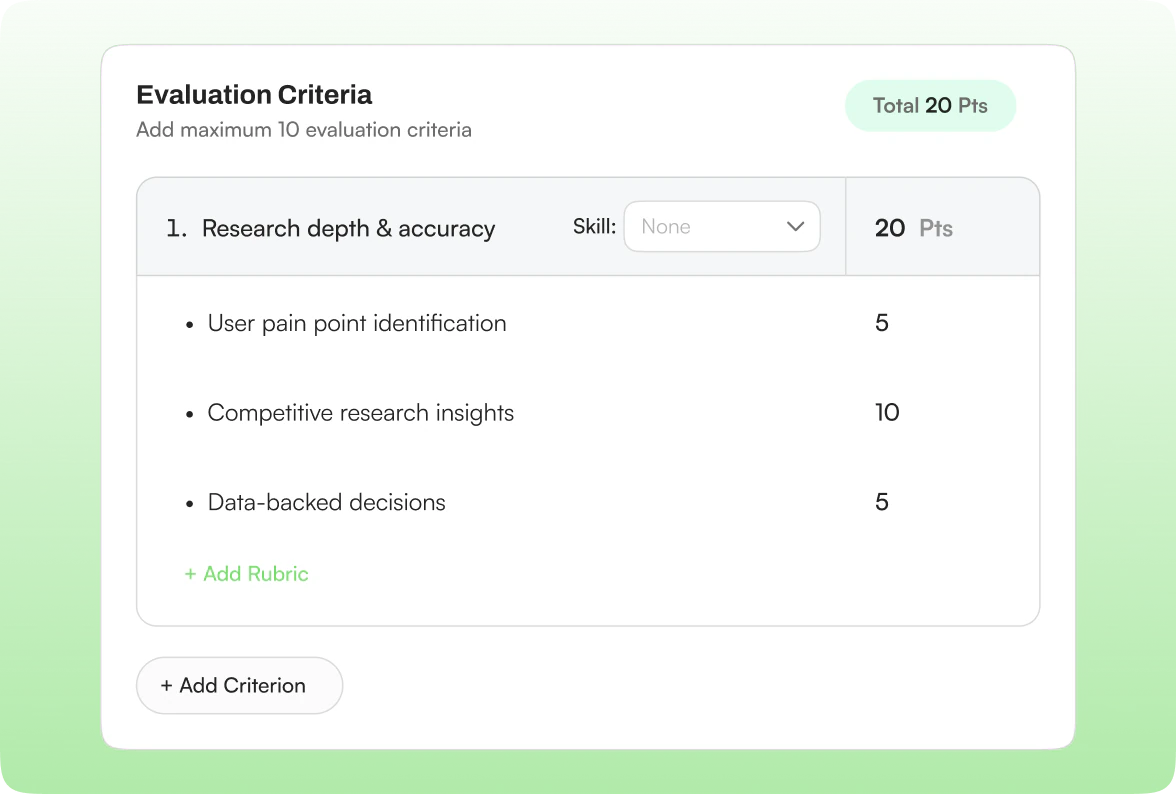
Evaluation criteria editor: Research depth & accuracy with three rubric rows totalling 20 points

Grading Quality

Define exactly what good performance looks like.

Create evaluation criteria that give instructors a consistent framework for reviewing learner work.

  1. Criterion
  2. Rubric
  3. Skill
  4. Score Band

Grading Workflow

Make instructor evaluation structured and meaningful.

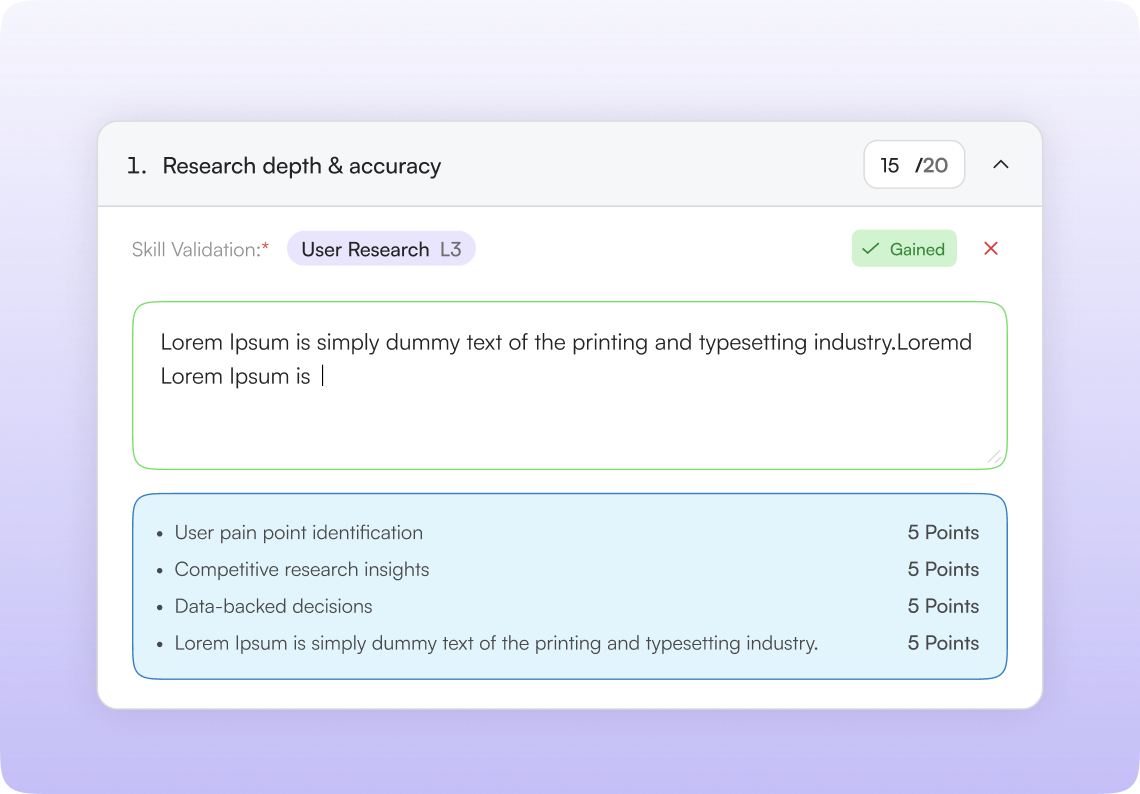
Instructors grade within a focused workflow that ensures consistent rubric application and automated skill mapping.

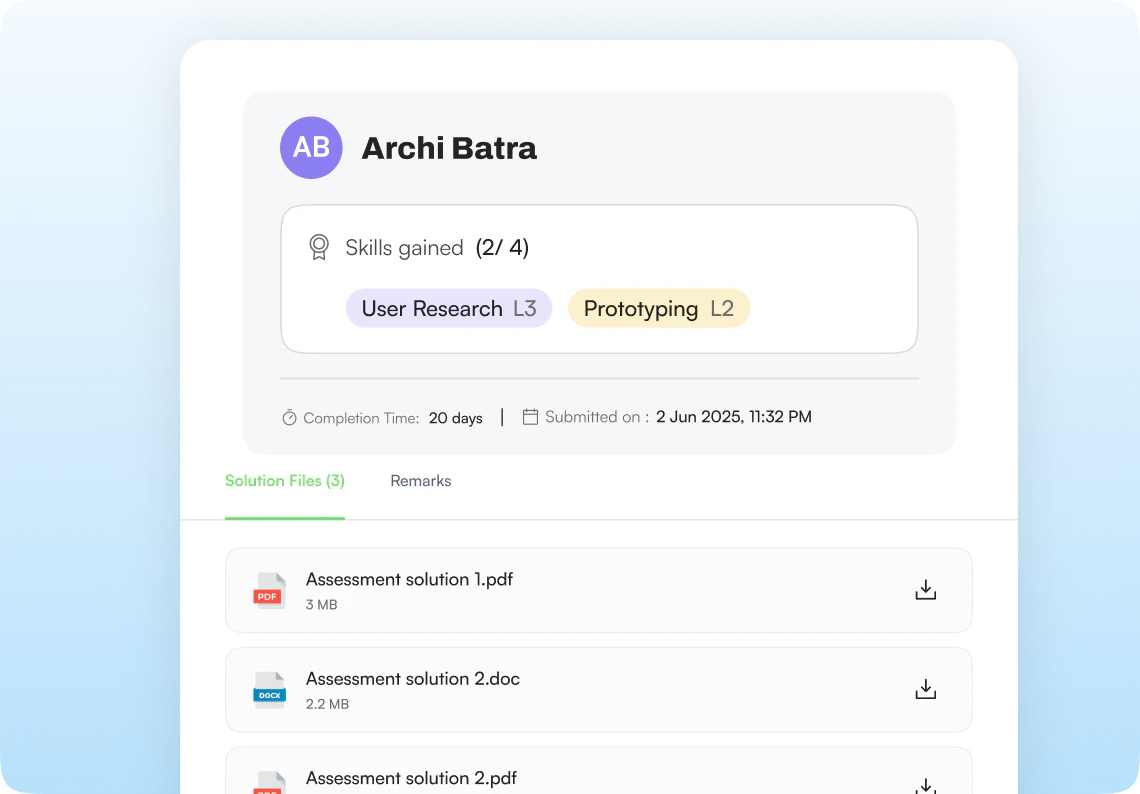
Instructor grading a criterion: skill validation, comments and rubric pointsLearner submission panel: skills gained, completion time and solution files

Adaptive Evaluation

One quiz. Two ways to learn.

Maximise the utility of your content by offering both low-stakes practice and structured examinations.

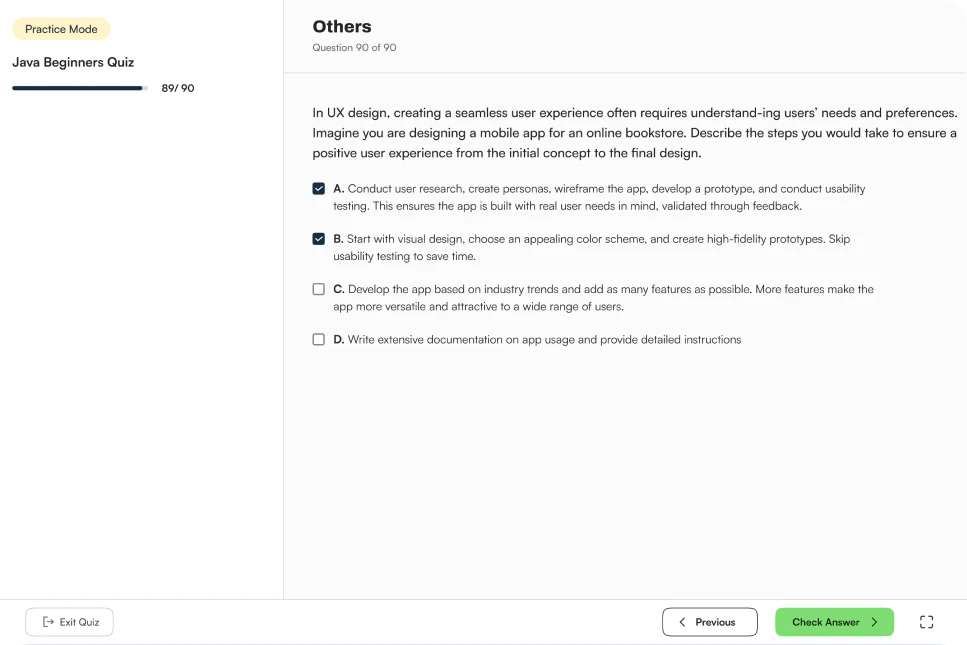
Practice Mode

Help learners revise concepts, test their understanding and learn from repeated attempts in a lower-pressure environment.

Practice-mode quiz attempt: a multiple-choice question with a Check Answer button

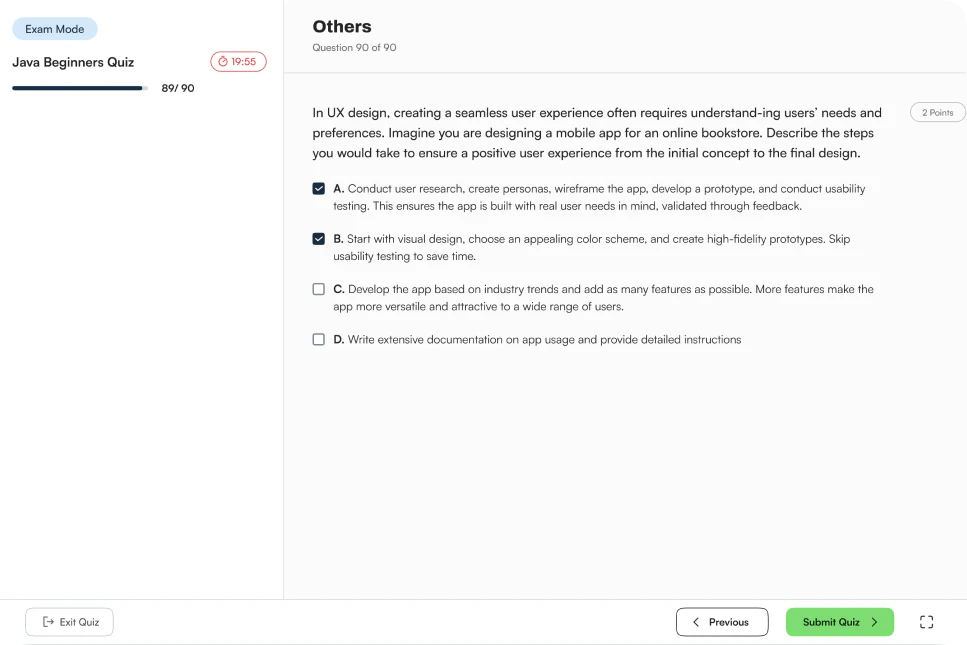
Exam Mode

Use exam mode for formal evaluation, where learner performance can be measured against defined assessment requirements.

Exam-mode quiz attempt: a timed multiple-choice question with a Submit Quiz button
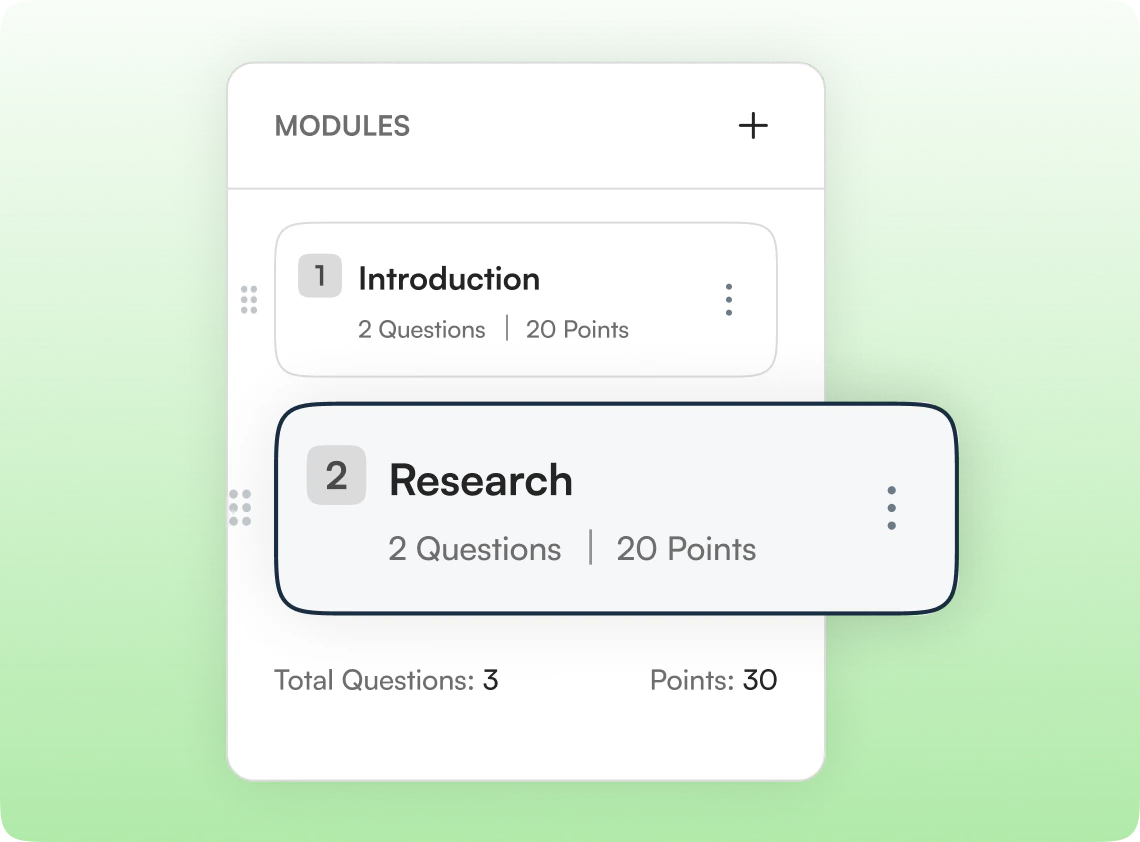
Quiz modules panel listing Introduction and Research modules with question and point totals

Structure

Build quizzes with modules and questions.

Organising questions into structured modules lets you construct logical progressions and balance assessment difficulty across different key learning milestones.

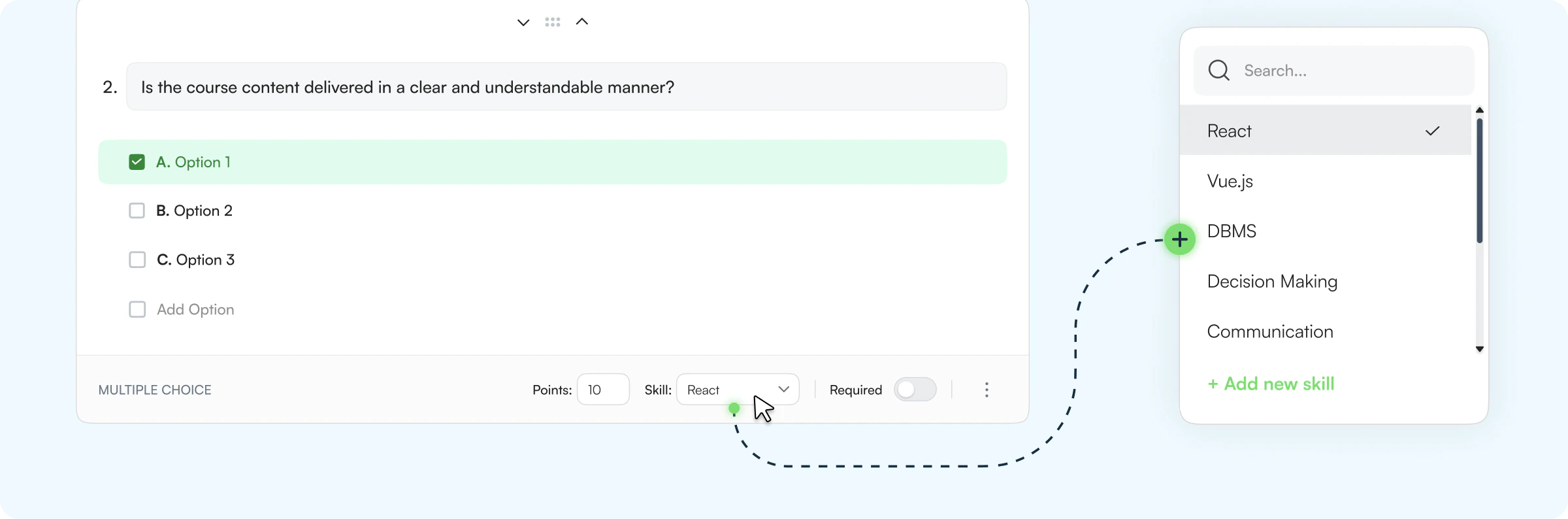
Skill Mapping

Connect every question to a skill.

Attach relevant skills directly to quiz questions to connect knowledge checks with learner skill development.

Multiple-choice question editor with a skill picker listing React, Vue.js, DBMS, Decision Making and Communication
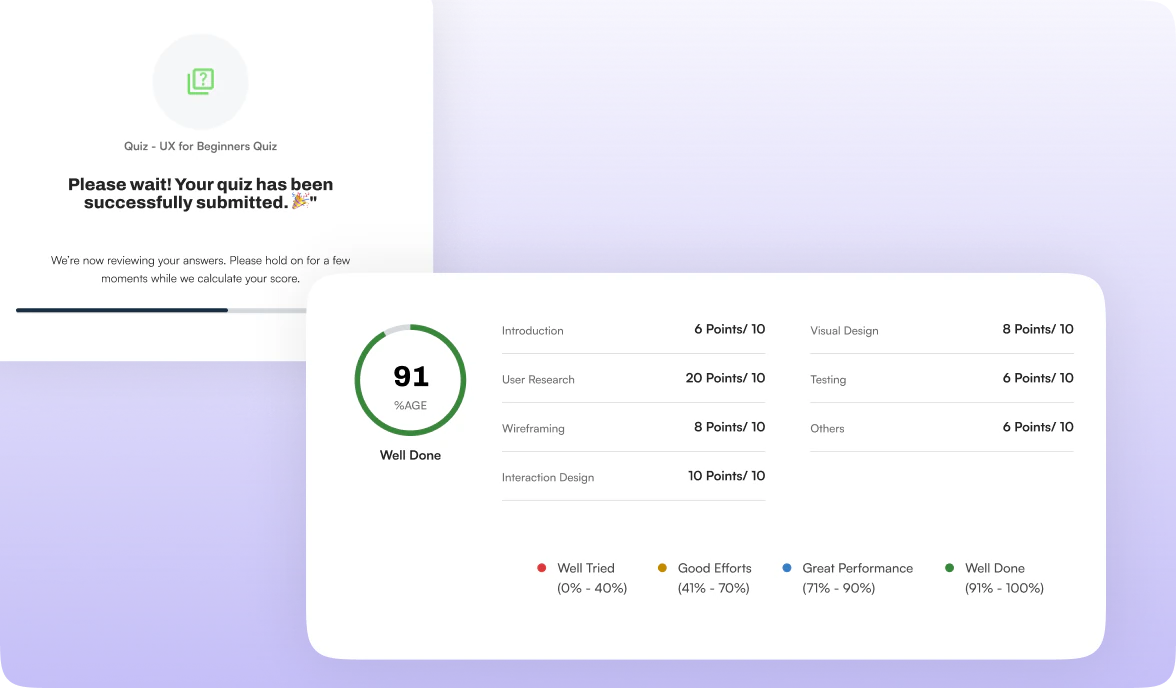
Quiz submitted screen followed by an instant 91% result with per-topic points

Instant Gratification

No instructor review needed.

Quizzes process instantly upon submission, giving learners immediate feedback on their skill progression.

Efficiency Scaling

Create once. Reuse across your learning ecosystem.

Standardize evaluations to keep learning reliable, fast to deploy, and aligned.

Assessment Templates

Design standardized tasks, submission guidelines, and rubrics. Save as a parent template, then scale seamlessly across physical classrooms or virtual cohorts.

  1. Create
  2. Save Template
  3. Reuse for ILT

Quiz Templates

Structure key concept questions once. Deploy them instantly into self-paced online courses, hybrid paths, or immediate checkpoints in live ILT.

  1. Create
  2. Save Template
  3. Deploy Anywhere

See Learnato running your training programs.

A 30-minute walkthrough, tailored to how your team creates and delivers courses.