AI Powered

Gamification

Turn the quiz into a live gamified event

Trego brings gamified challenges straight into Learnato. Learners race the clock on their own screens, instructors run the room from one live console, and the leaderboard updates after every single question.

Three seats, one live game

Built separately for learners, instructors and creators

A creator builds the quiz , an instructor hosts and paces the live session, and a learner plays under the clock — each with a screen built for exactly that job.

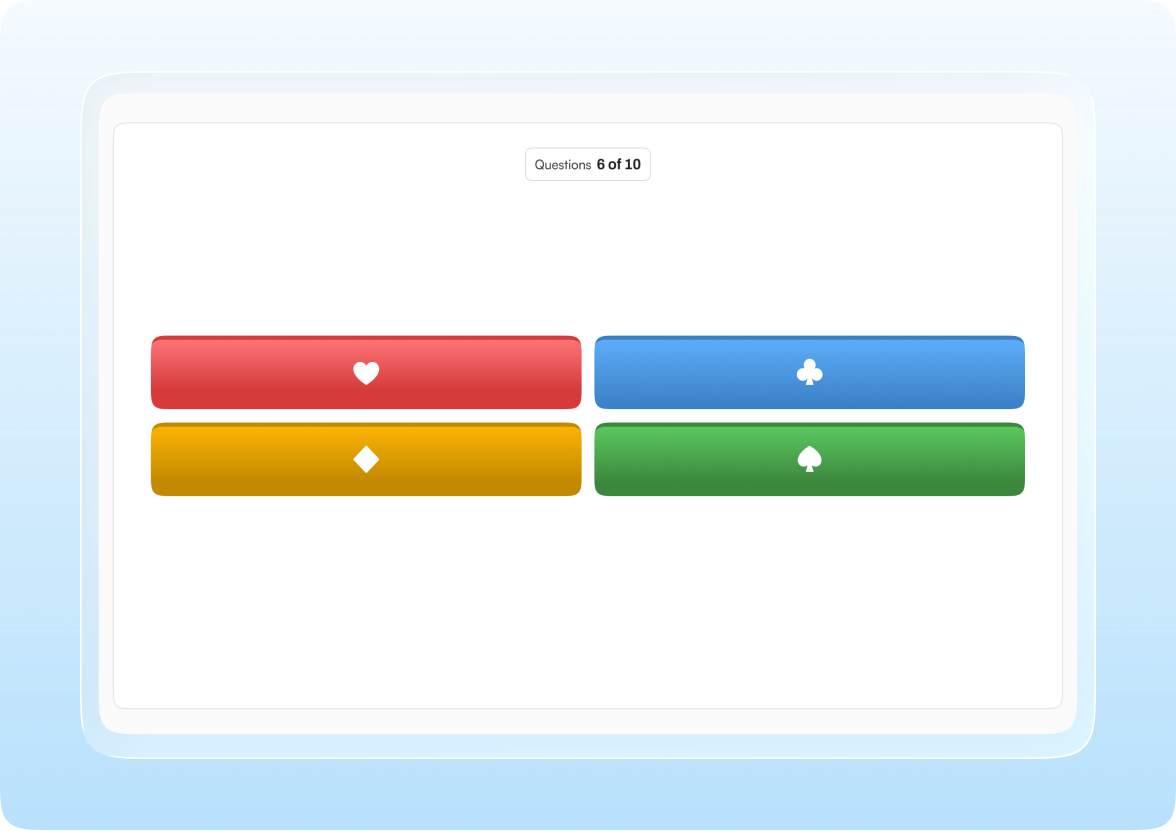
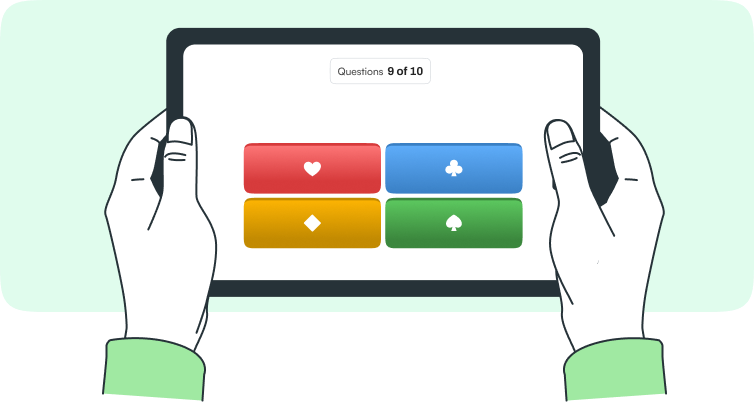
Learner answer screen with four coloured answer buttons for question 6 of 10

For Learners

  • Per-question timerEvery question carries its own countdown, from 10 to 60 seconds, shown as both a visual ring and a sound cue.
  • Instant feedbackThe correct answer and points earned appear the moment the question closes — no waiting for a reveal screen.
  • Live leaderboardRank updates after every question, so learners see exactly where a fast or accurate answer moved them.
  • End summaryA closing screen totals score, accuracy, and final rank, with an avatar or nickname carried through the whole session.
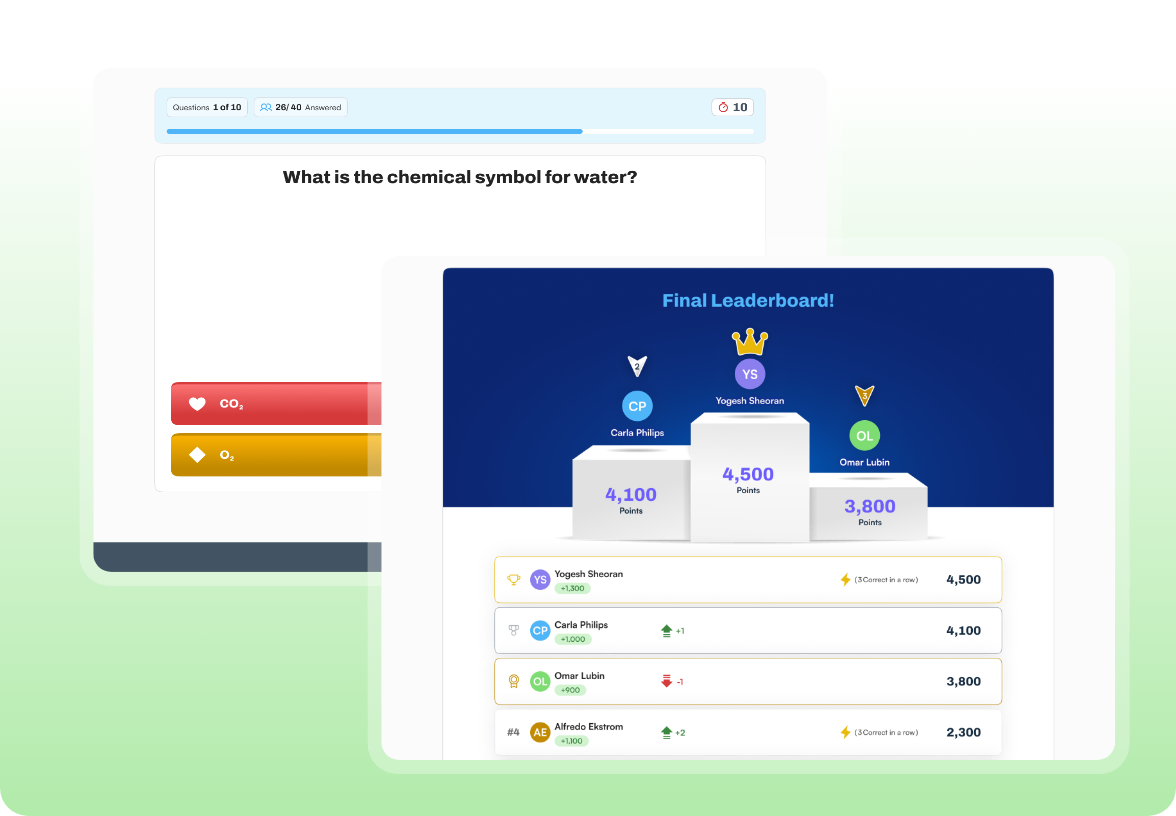
Instructor question screen overlapped by the final leaderboard podium

For Instructors

  • Host in real timeWatch learners join as they arrive, then start the challenge and control pacing question by question.
  • Session reportSee the report of scores and ranks as soon as a session ends, ready to share with a training coordinator.
  • Leaderboard & revealShow the live leaderboard after each question and reveal the correct answer to the whole room.
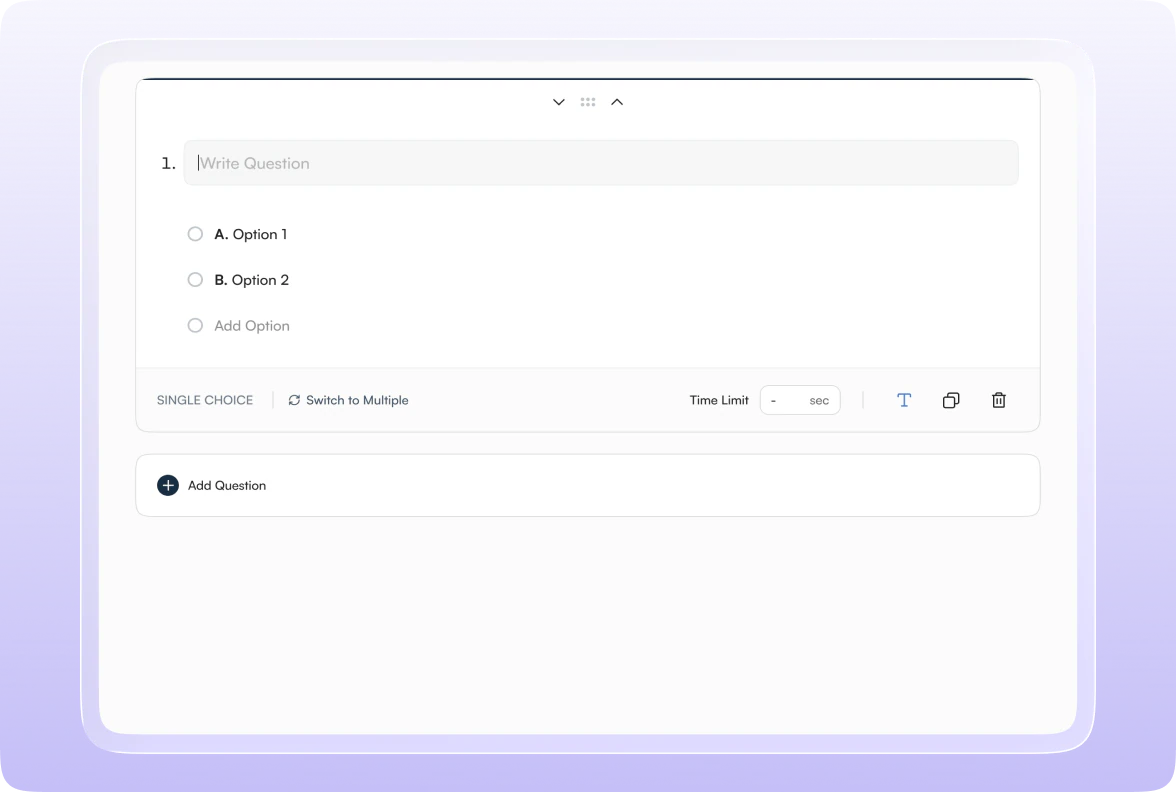
Quiz editor with a single-choice question, two options and a time limit

For Creators

  • AI-assisted authoringWatch learners join as they arrive, then start the challenge and control pacing question by question.
  • Point settings per questionDownload a report of scores and ranks as soon as a session ends, ready to share with a training coordinator.
  • Timers per questionFull control over the live session — pause for a question, skip one that's not landing, or resume when the room is ready.

How it works

From join code to final rank in minutes

A Trego session is built to move fast — learners jump in with a code, and every screen updates in sync as the instructor advances the game.

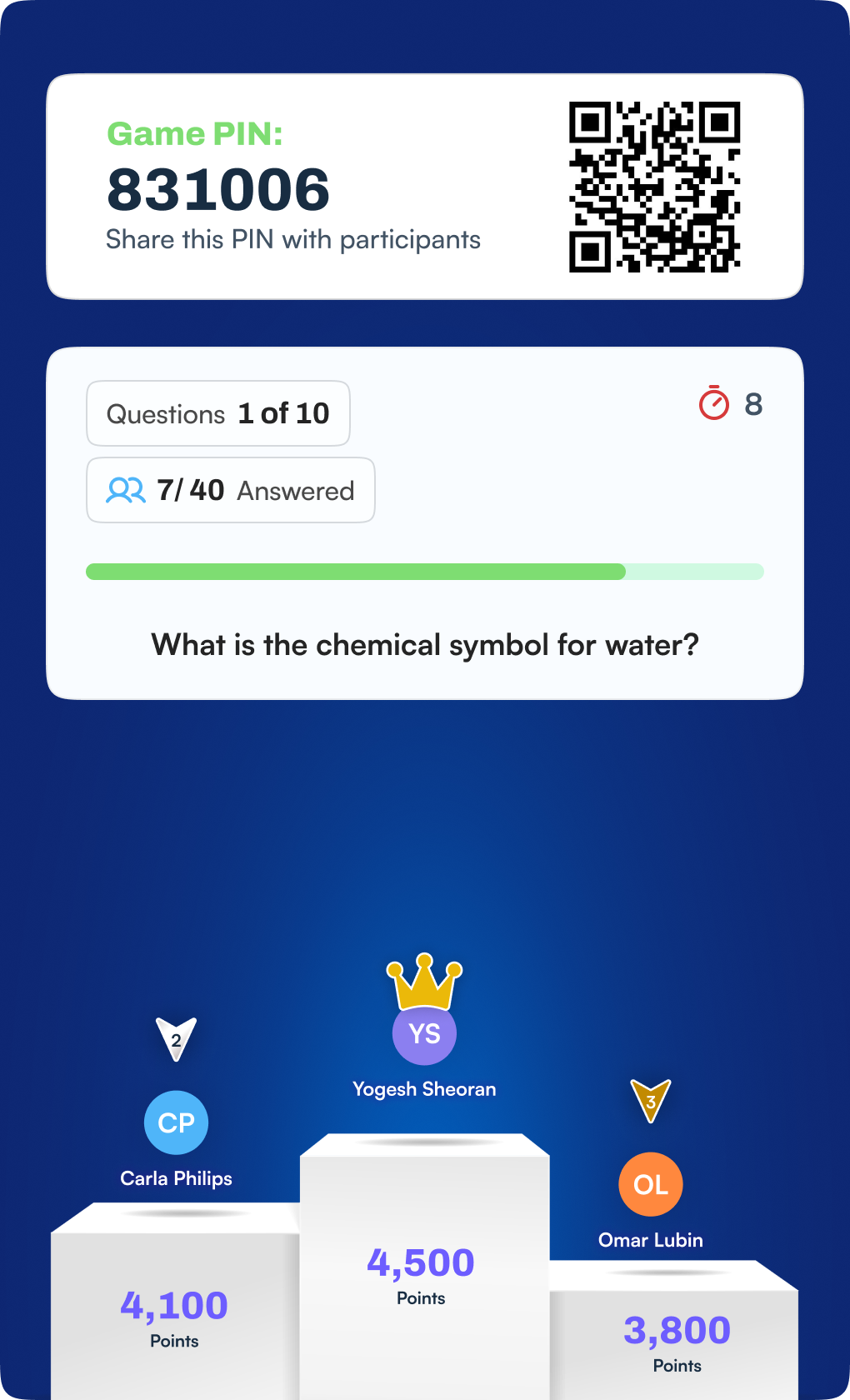
Trego session screens: the game PIN and QR code, the live question progress card, and the final podium
  1. Step - 01

    Join with a code

    Learners enter a session code or tap a shared link, pick a nickname or avatar, and land in the waiting room.

  2. Step - 02

    Race the countdown

    Each question arrives with a visible, audible timer. Answer fast for more points — auto-submit kicks in at zero.

  3. Step - 03

    Climb the leaderboard

    Instant feedback shows the correct answer and points earned, then the leaderboard reshuffles before the next question

  4. Step - 04

    See the final rank

    An end summary shows total score, accuracy, and rank — with a podium moment for the top finishers.

Scoring

Points that reward speed and consistency

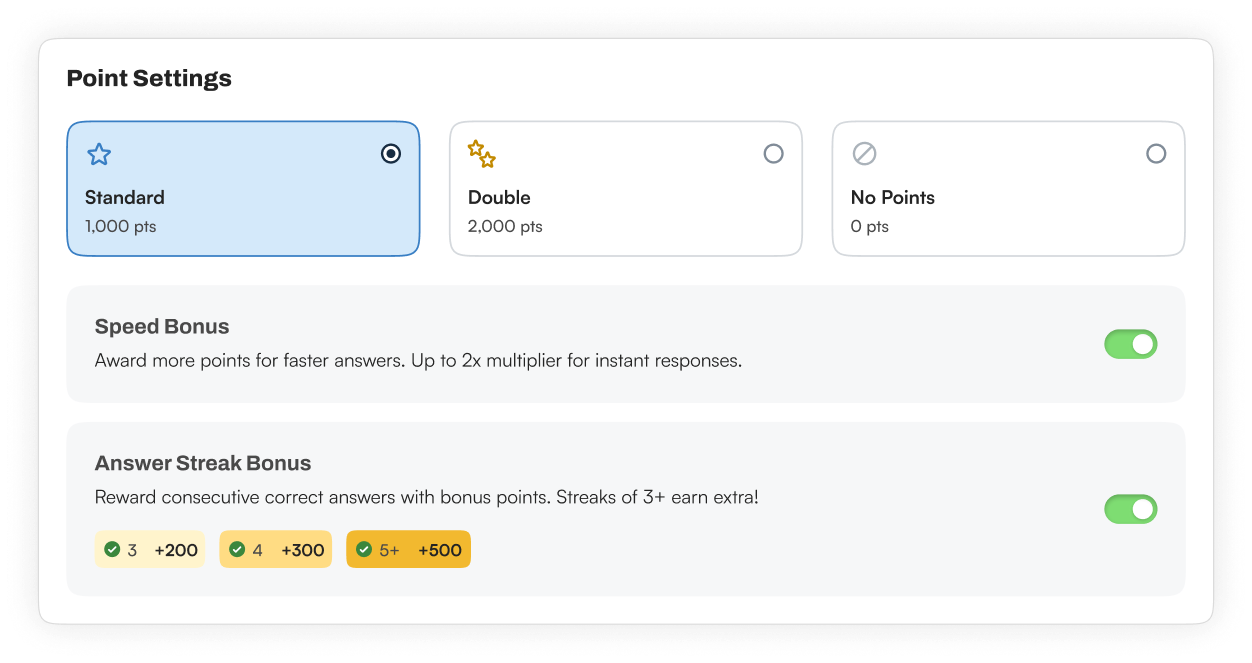
Every question scores on the same simple model — a base value the creator sets, plus two optional bonuses that reward fast, accurate play.

Point Settings panel with Standard, Double and No Points options plus speed and answer-streak bonuses

Engagement & game feel

The details that make it feel like a game

Time pressure is more fun when the game reacts to it - Trego layers in scoring, effects, and moments that reward speed and streaks.

Streaks & multipliers

Consecutive correct answers build a streak that multiplies points earned, rewarding sustained accuracy.
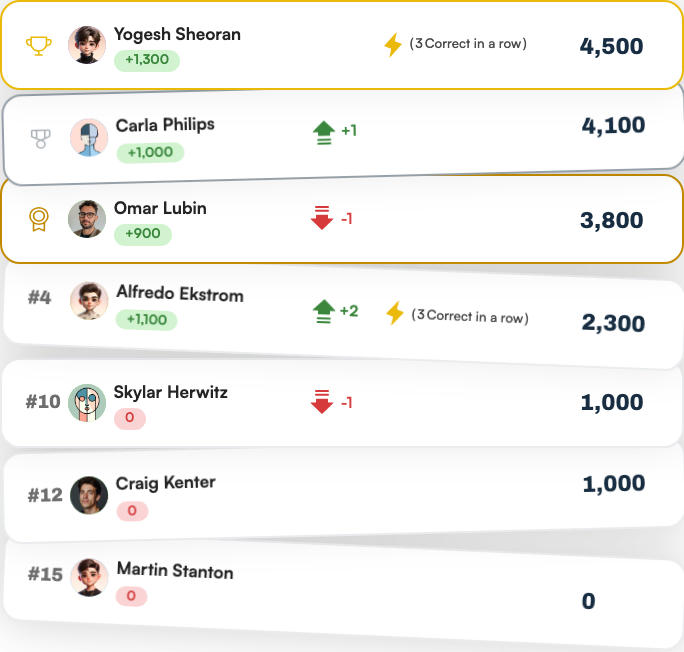
Live leaderboard rows showing rank changes, streak bonuses and points

Power-ups

Double points, and other one-time boosts give learners a tactical edge mid-game.

Confetti & sound

Correct streaks, podium finishes, and milestones trigger short animations and audio cues.

Yellow and blue particle waves on a deep steel-blue background

Podium finish

The top three learners get a dedicated podium animation at the end of every session.
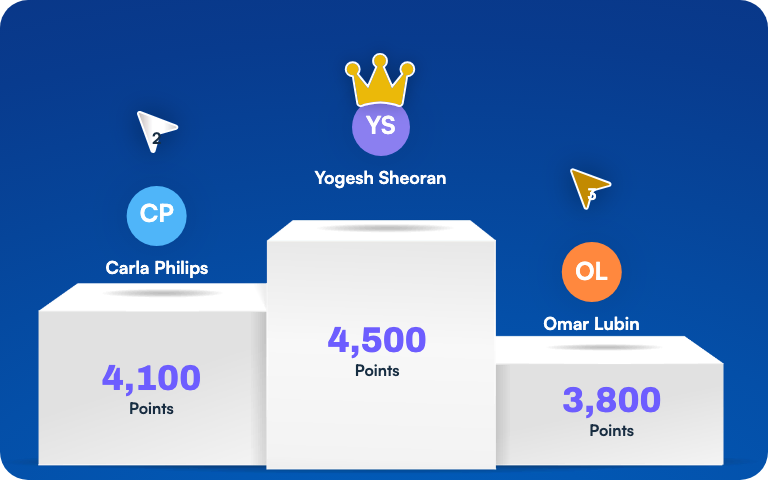
Podium with the top three learners and their points

Instructor console

One screen to run the whole room

While learners see the countdown, the instructor sees the pacing — who's answered, how the leaderboard is shifting, and full control over what happens next.
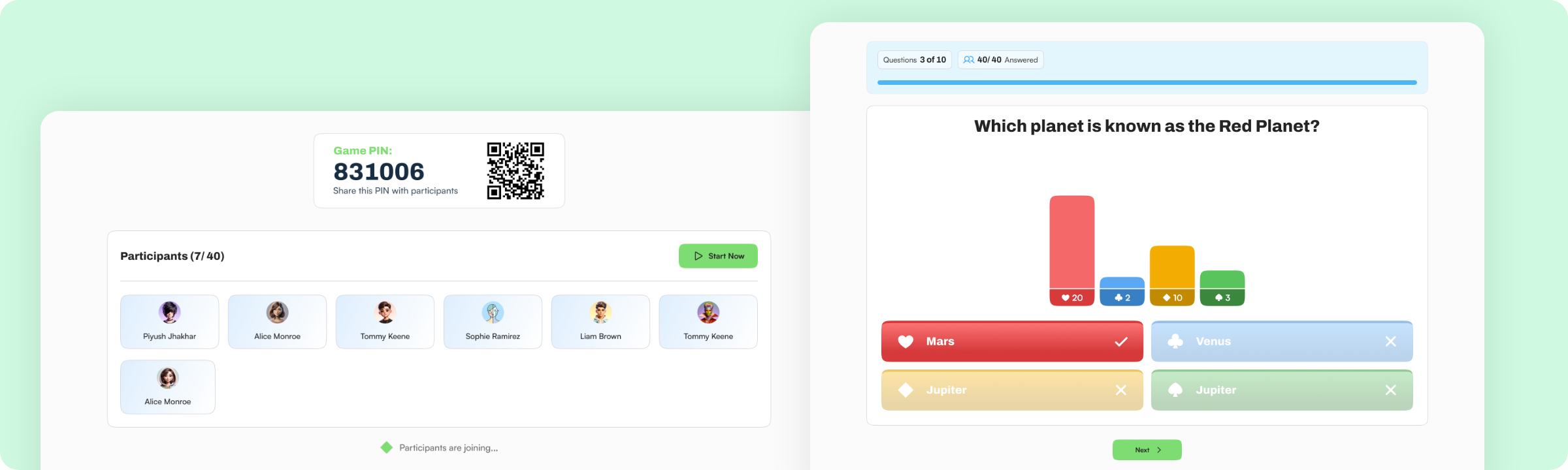
Instructor console showing the game PIN lobby with participants and a live question with answer distribution

See Learnato running your training programs.

A 30-minute walkthrough, tailored to how your team creates and delivers courses.